Wand Interactive Game Maps

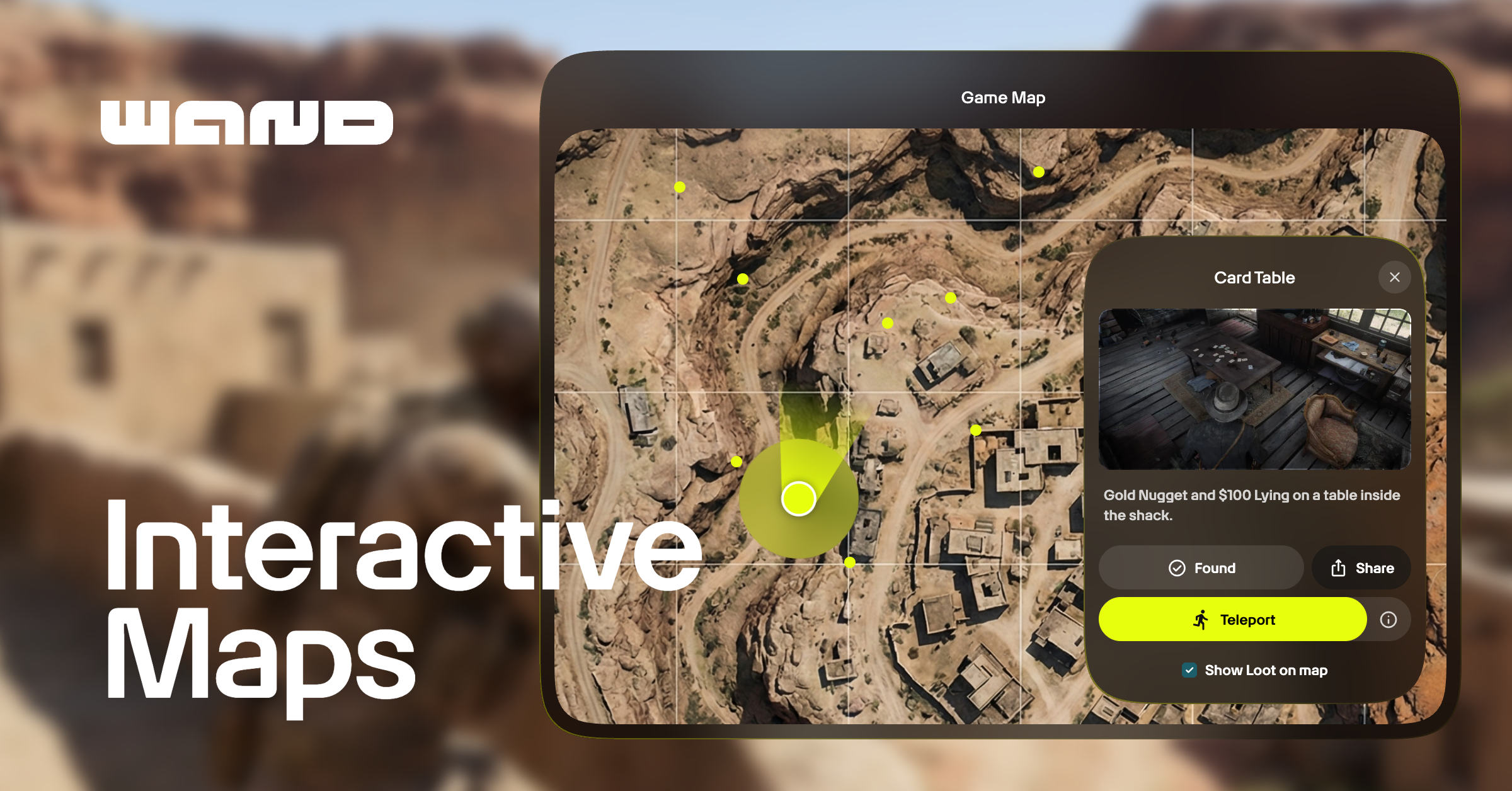
You know the feeling of being 100 hours into an open-world game, hunting for that last collectible? You've scoured every corner, checked behind every waterfall, and still can't find the stubborn last item on your list. So you do what everyone does: leave your game and start scrolling through overwhelming wikis and way-too-long YouTube videos. And in the process, you somehow stumble on a major spoiler.
If you ever find the answer you were looking for, the immersion is gone. The magic of exploration has been replaced by frustration and browser tabs full of distractions.
This is why we built Interactive Game Maps. Wand's maps are available on the web, in the Wand desktop app, and for Wand Pro subscribers, in the Wand mobile app. Browse maps, track your progress, and use 100% completion checklists from all three. Download the desktop app and you also get live location tracking, teleport, and video map pins for supported games. Here's how it all works.
Interactive Maps That Actually Understand Your Location
Most game map websites give you a static image with some markers. Useful, but you still have to cross-reference your in-game position with what you're looking at on a separate screen.
Wand's maps are different. In the desktop app, your live location appears directly on the map in real-time for supported games. No more using landmarks to triangulate your position. No more running around in circles. Just open the map, see your exact location, and find where to go next.
Teleport: Skip the Commute, Get to the Fun
For open-world games like Cyberpunk 2077 or Red Dead Redemption 2, crossing the map and unlocking every fast travel point takes a while. Sometimes that's exactly what you want. But when you have different goals for a playthrough, Wand's interactive maps are there for you.
In the Wand desktop app, teleporting to any map location saves hours across a full playthrough. It lets you focus on different aspects of the game without spending that time just traversing a massive map.
Teleport is available in the app for supported games, and some locations may have restrictions (you might not be able to teleport during certain missions or into areas you haven't discovered yet).
Every Collectible, Secret, and Point of Interest
Our team manually pins locations across every map we support. These hand-placed pins include relevant details: what you'll find there, any special requirements, and sometimes video clips showing exactly how to reach tricky spots.
You can filter by category to focus on what you're actually looking for, whether that's every treasure chest or just the locations you need for a specific achievement. Categories include collectibles, quest locations, resources, enemy camps, fast travel points, and achievement-related areas, among others.
Find Everything: 100% Completion Checklists
Open any supported game map and you'll find 100% Completion Checklists in the sidebar. These break the game down into trackable categories—Main Quests, Side Quests, Bosses, Elite Enemies, Collectibles, Locations, and more—each with a progress counter showing exactly where you stand. Mark items as you find them and the counter updates. Progress syncs across web, desktop, and mobile, so you can pick up where you left off no matter where you're playing.
Click any checklist item and an image or short video shows you exactly where it is and what it looks like. No more trusting a vague text description and hoping you're in the right spot. While you're browsing a category, the map filters to show only the relevant pins. Select "Collectibles" and everything else clears out. No clutter or squinting at overlapping icons.
Checklists work alongside everything else on Wand Maps. Live Location shows where you are relative to checklist items in real time, and 1-Click Teleport lets you jump directly to any item on the list. If you've ever finished a game at 67% wondering what you missed, checklists give you a clear, structured path to the answer.
Game Progress Tracking That Stays With You
Beyond structured checklists, you can mark any map pin as found. The pin fades on the map, and your progress syncs to your Wand account. Come back whenever and your map data is still there.
The sidebar shows your overall completion progress and what's left to discover. Hide found pins entirely if you want a cleaner view, or reset your progress when you're starting a new playthrough.
Custom Pins: Your Map, Your Markers
On top of our manually curated pins, you can create your own. Name, describe, and customize your pin's appearance before saving it to your account. Custom pins appear in their own category, separate from our pinned locations, so they never get mixed up.
Send your friends a link and they'll see exactly where you found that hidden cave or rare weapon. Custom pins turn your map into a personalized and shareable record of your playthrough.
Video Map Pins: Put Your Clips on the Map
When you capture a video highlight in the Wand desktop app, it can automatically create a pin on the map at that location. Create clips of secret bosses, clever shortcuts, or just something unexpected you need your friends to see. Your clip has a place on the map with a thumbnail preview and easy sharing so you can show your friends exactly which cave you found that rare chest in.
Fog of War: Discover the Map as You Go
Not everyone wants every pin visible the moment they open a map. Part of what makes exploring an open world feel rewarding is the discovery, and seeing a screen full of markers before you've set foot somewhere new can quietly take that away.
Fog of War gives you the option to start with the map obscured and uncover it as you play. As you move through the game world, the fog lifts around you. Pins reveal as you reach them, new areas open up, and the map fills in gradually rather than all at once. Your progress syncs across sessions and devices, so the map you've uncovered stays uncovered next time you open it.
If you want to see the full map, you can just toggle the fog off from the map layer controls. But if you'd rather earn the picture slowly, Fog of War makes sure you never accidentally see what you haven't found yet.
Available now in beta for games with live location support.
Games We Support
We're constantly adding new maps and expanding coverage for existing ones. Our library includes detailed maps for popular games like:
Crimson Desert
Elden Ring
Cyberpunk 2077
Red Dead Redemption 2
Hogwarts Legacy
The Witcher 3
GTA V
And 170+ more
Ready to try Maps?
Wand Interactive Maps are free on the web and in the desktop app. Wand Pro subscribers can also access Interactive Maps through the Wand Mobile App. Browse maps, use 100% completion checklists, drop custom pins, and track your progress with no download required. Live location tracking, teleport, and video map pins require the Wand desktop app and are available on select titles. Check the map tab in the app for your specific game to see what's supported. If your favorite game isn't listed yet, keep checking back. We're always working to expand map features to more games.
Explore maps on the web or download the Wand app for the full experience.