Monthly Update - September 2026

September was about keeping more of what matters within reach while you play. Mini-Map now sits right on your game screen, so you can check your surroundings without opening the full map or breaking your stride. A set of changes you asked for is live too, from per-game hotkeys to a sidebar that sorts the way you do. And when you unlock a Steam achievement, Wand can now save the moment as an Auto Highlight, so you don't have to remember to capture it.
Dozens of new games and maps arrived along the way. Here's the full picture.
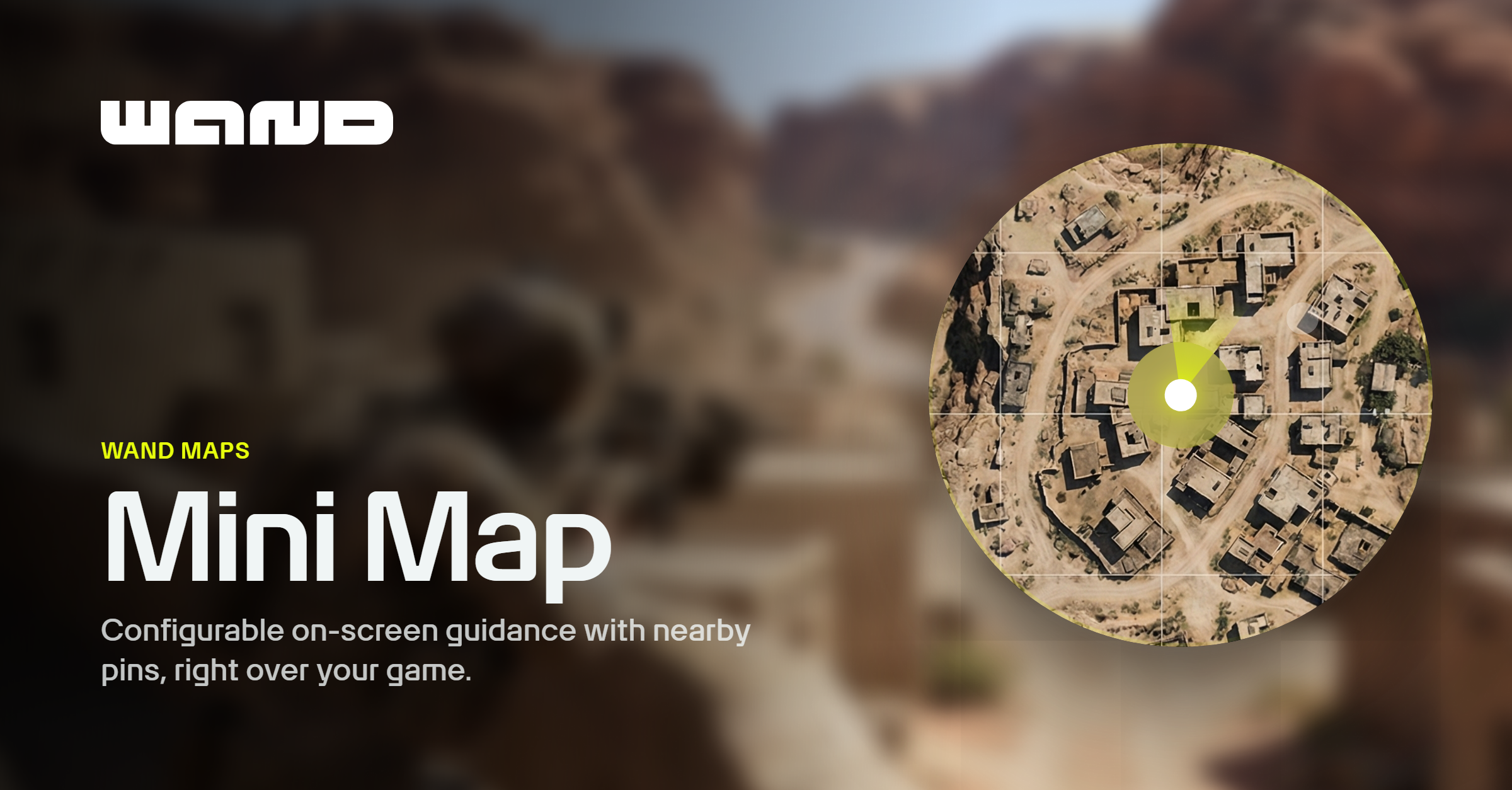
Mini Map keeps your surroundings in view.
Mini Map puts a compact map on your screen while you play. It follows your live location and shows nearby pins, so you can check your surroundings without opening the full map each time.
Launch it from the Mini Map control in a game that supports live location. It opens in its own overlay window and shows pins based on your map filters. The full map is still there when you want to look farther ahead or open a pin's details.
Move Mini-Map wherever suits your screen, then choose its size, shape, and opacity. Wand remembers its position for each game, so you can keep it clear of the parts of the screen you need to see.
Steam achievement unlocks can become Auto Highlights.
An achievement unlock is a moment worth keeping. With Auto Highlights enabled while Wand is recording a Steam game, newly detected achievement unlocks can now trigger a clip automatically.
Each clip carries the achievement name and a trophy marker, so it's recognizable when you go looking for it later. Find it in your library and use the same clip controls to view, download, or share it.
Your feedback is shaping Wand.
Some of September's improvements started with your requests. We worked through popular suggestions on Wand's feedback board and shipped changes to hotkeys, mod controls, and the sidebar.
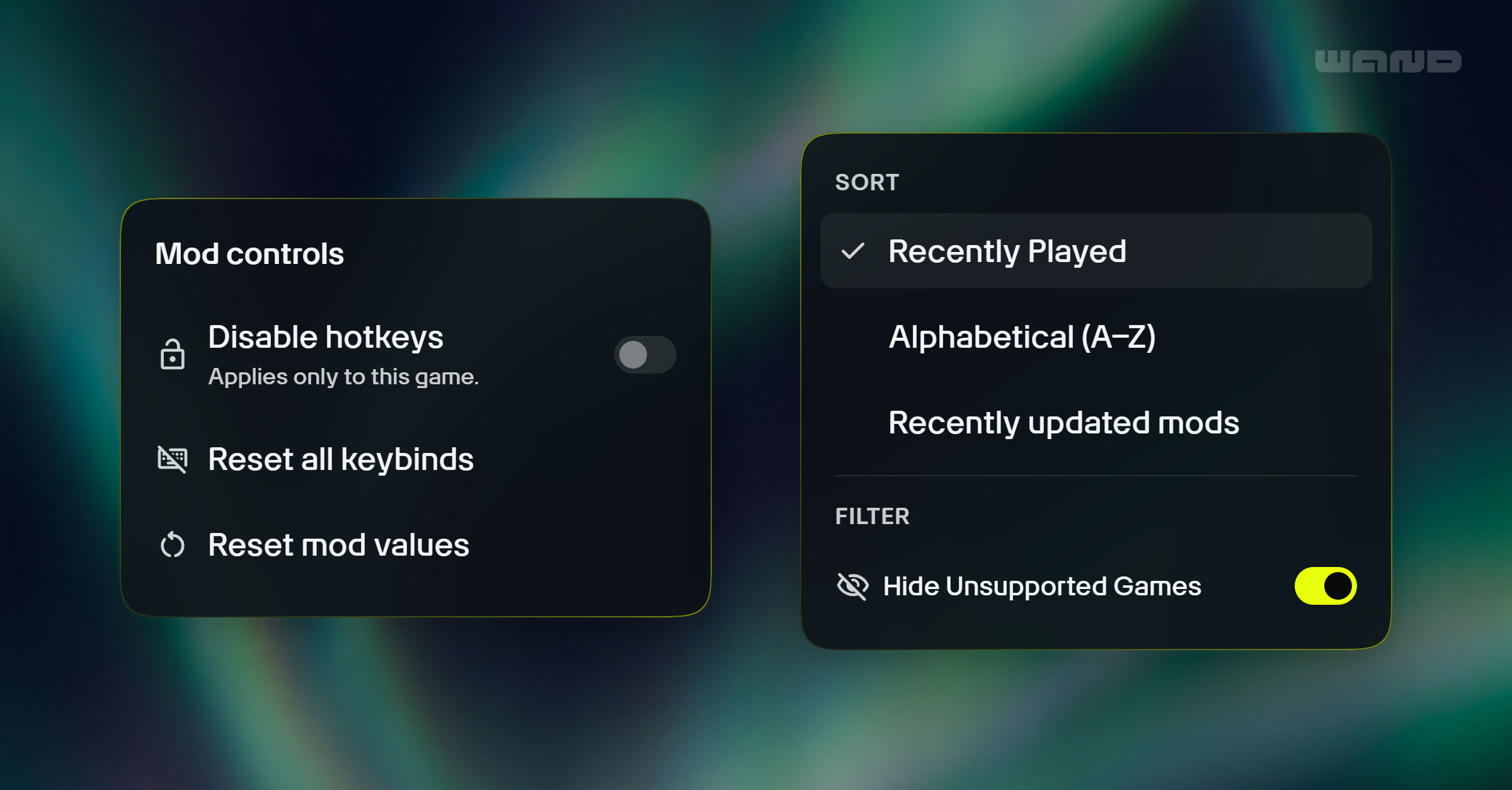
You can now turn hotkeys on or off for individual games, including from the overlay. Your global hotkey setting still takes precedence. Reset all keybinds restores a game's default shortcuts without touching its mod values, and Reset mod values returns supported controls to their defaults. Resetting mod values won't undo changes already made to your game or save.
The sidebar now offers three ways to sort games: Recently Played, Alphabetical (A–Z), and Recently updated mods. Unsupported games are hidden by default, with an option to show them. Supported games you launch outside Wand get a running-status indicator and move to the top of their section, so you can spot the one you're playing at a glance.
When you switch games, Wand now asks you to confirm before disconnecting the current one and stopping its active mods.
These changes came from details you noticed in everyday use. Keep sharing ideas and voting on what you'd like to see next!
Also This Month
Your clips now tell the full story. Open a clip and choose Full details to see its chapter timeline, capture information, and storage and sharing controls. Related clips help you revisit the session, and Where it happened shows a map when location data is available.
Popular Highlights now appears on the Highlights page. Browse community clips alongside your own library. It's another place to discover clips, following August's refresh of the home-screen feed.
Earn more Boosts with social follows. Following Wand on YouTube, Facebook, Instagram, or X now earns 10 Boosts each. Rewards stay available until you redeem them.
Auto Highlights reached more games. September's additions include Muck, Fields of Mistria, Mortal Shell II, and RuneScape: Dragonwilds. With Auto Highlights enabled, supported moments in these games can become clips automatically.
This Month in Games
In September we added 64 games, updated 269, and released 59 new maps on Wand Maps. The additions include new storefront support as well as new titles.
A few of the arrivals:
- STAR WARS Zero Company
- METAL GEAR SOLID 4: Guns of the Patriots - Master Collection Version
- The Blood of Dawnwalker
- Onimusha: Way of the Sword
- Halloween: The Game
- Trails in the Sky 2nd Chapter
- Graveyard Keeper 2
- CONTROL Resonant
New maps include Grounded 2's Brookhollow Park and The Abyss, locations across Onimusha: Way of the Sword and Sekiro: Shadows Die Twice, Assassin's Creed Origins, Graveyard Keeper 2, and SILENT HILL: Townfall. Live-location support is also now enabled for Mortal Shell II.
Improvements & Fixes
Improvements
- Compass can now guide you to more map pins in games with Live Location, including pins that previously couldn't be tracked.
- When clips are available, the post-session summary now leads with a featured highlight.
- You can now browse between clips in the home-screen Popular Highlights player.
- The Cyberpunk 2077 map now uses icons from the game to make locations more recognizable.
Bug Fixes
- Fixed a startup crash affecting some players with older saved app data.
- Fixed cases where game activation could time out while still loading.
- Video playback remembers your volume setting, and lowering playback volume no longer lowers the audio in exported clips.
- Deleting a clip is more reliable, including when its cloud copy has already been removed.
- Fixed stuck clip-upload retries and restored automatic retries and cleanup for failed session uploads.
- Fixed Cash App checkout, payment options hidden by missing translations, and retry limits that could block another attempt longer than intended.
- Fixed delays in monthly Boost rewards for some Pro members.
- Pulse's one-time quests now appear even if you first open Pulse more than a week after creating your account.
- Tightened translation checks so missing text is less likely to reach the app.